How to remove your location from photos before you post or send them
Phone photos contain GPS coordinates. Here is how to check and remove them on iPhone, Android and computer.
Free · no account · 3 free uses of every tool · also for Mac (Intel), Windows, Linux
Photos taken with a phone usually contain EXIF data: the exact GPS location where they were taken, the date and time, and the phone model. Big social networks strip it when you post, but email, messaging apps that send “original quality”, marketplaces, forums and file sharing often don’t.
On iPhone
When sharing, tap Options at the top of the share sheet and turn off Location. To stop recording it: Settings → Privacy → Location Services → Camera → Never.
On Android
In the camera app settings, turn off location tags (name varies: “Location tags”, “Save location”). Google Photos: when sharing, you can remove the location.
On any computer
Use the EXIF remover: choose photos and get clean copies. JPGs are cleaned without re-compressing, so quality stays exactly the same; nothing is uploaded.
Do it now
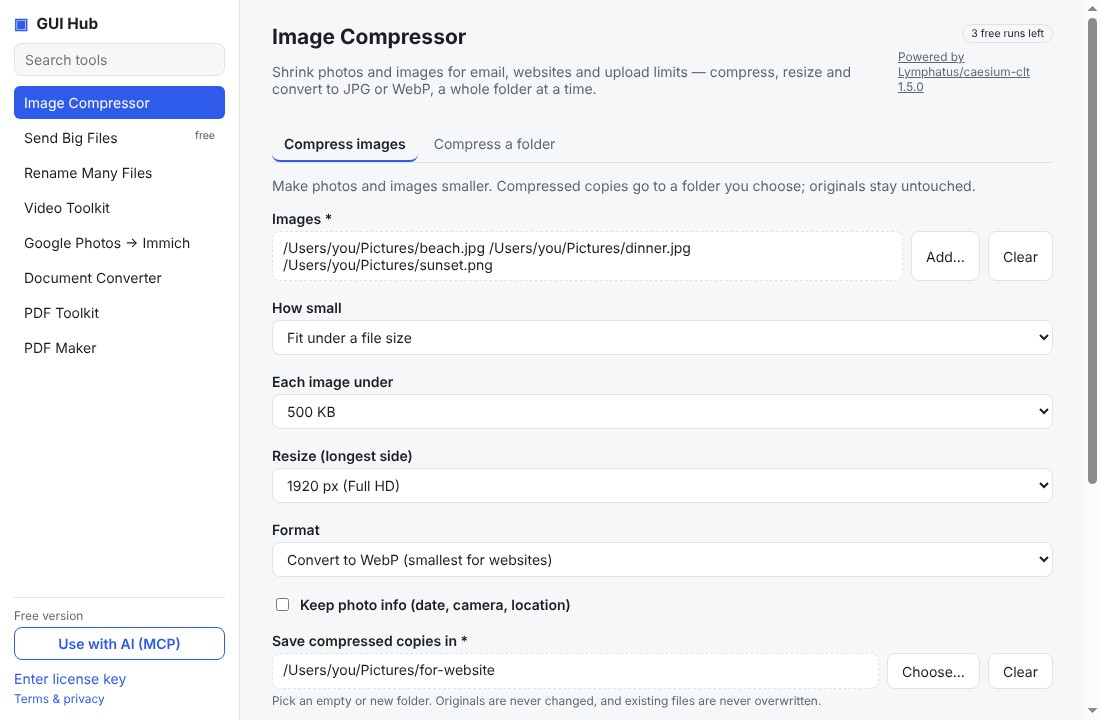
Free in your browser, nothing uploaded: Remove EXIF/GPS · Watermark photos · Compress images. To strip location from a whole folder of photos, or let Claude/Cursor do it: GUI Hub Essentials → Image Compressor → Compress a folder, with “Keep photo info (date, camera, location)” unticked (3 free uses per tool, then $9 once for everything).
Try it now
Free download — use it 3 times free. $9 once unlocks everything. Prefer to ask your AI? GUI Hub also works as an MCP server for Claude, Cursor and others.