Convert CSV to Excel (and back) without uploading your data
Turn CSV files into .xlsx, Excel into CSV, or either into Parquet/JSON on your own computer — even files too big for Excel to open.
Free · no account · 3 free uses of every tool · also for Mac (Intel), Windows, Linux
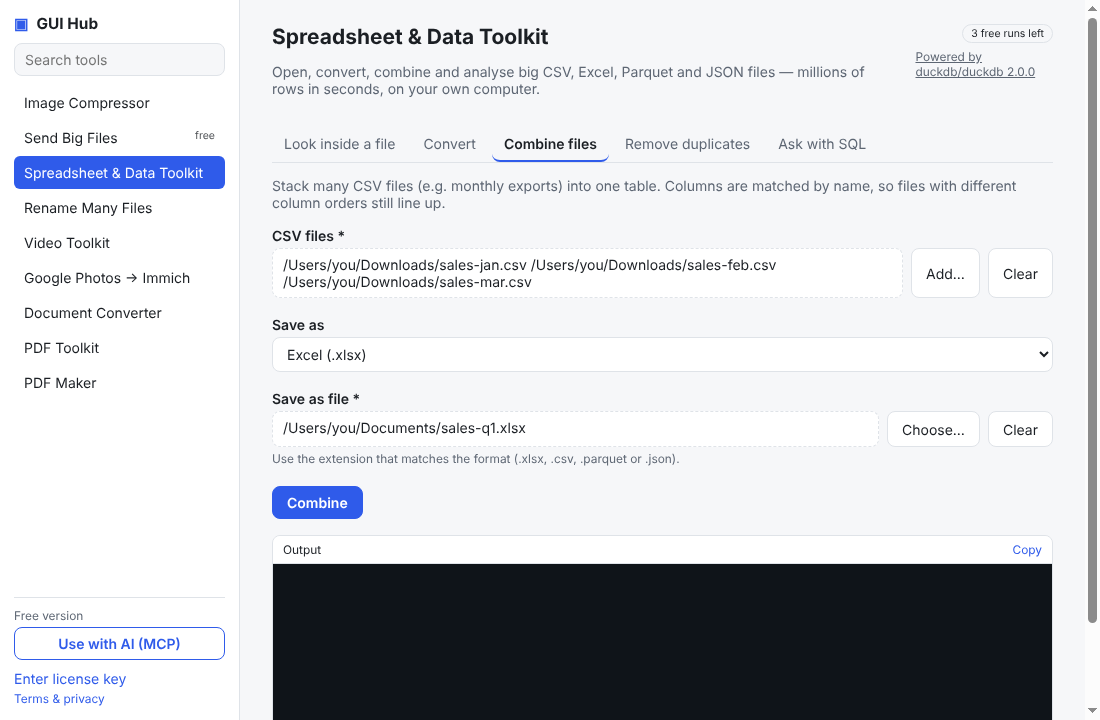
Online converters want you to upload your spreadsheet — often sales, customer or payroll data. Excel itself can open a CSV, but it chokes on files over about a million rows and mangles leading zeros and dates.
Convert in one step
- Download GUI Hub Data and open Spreadsheet & Data Toolkit.
- On Convert, pick the file and choose Excel (.xlsx), CSV, Parquet or JSON.
- Press Convert.
Files too big for Excel?
Look inside a file shows the columns, first rows and statistics of a file of any size. Ask with SQL — or your AI — can filter and total it first, then save a smaller Excel file.
Also handy
- Combine many monthly CSV exports into one sheet (columns matched by name).
- Remove duplicate rows.
The engine is DuckDB (MIT). Your data stays on your computer. 3 free uses per tool; $9 once for GUI Hub Data.
Try it now
Free download — use it 3 times free. $9 once unlocks everything. Prefer to ask your AI? GUI Hub also works as an MCP server for Claude, Cursor and others.