| AI tool | What it does |
|---|
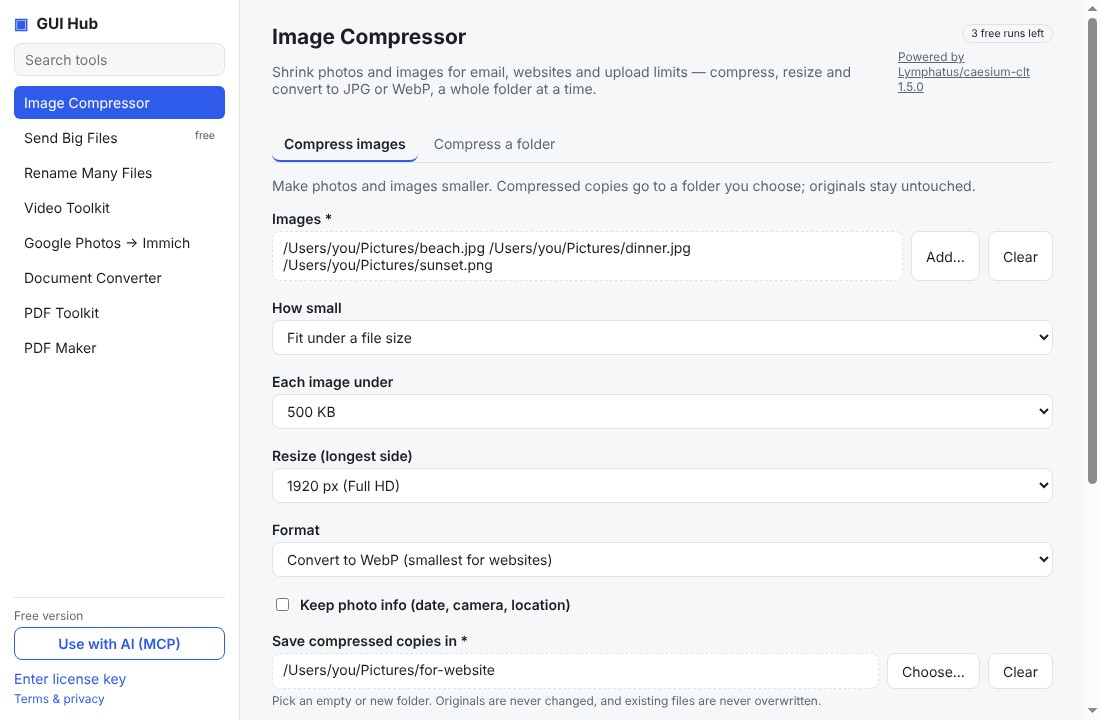
| caesium_compress | Compress, resize and/or convert image files (JPG, PNG, WebP, GIF, TIFF) on the user's computer. Writes compressed copies (same file names) into outDir; never modifies originals or overwrites existing files. Use mode=size with maxSize (bytes) to fit upload limits. |
| caesium_folder | Compress, resize and/or convert every image in a folder on the user's computer, optionally including subfolders (folder structure is kept). Copies go to outDir; originals are never modified. |
| croc_receive | Receive files sent with croc: give the code phrase from the sender and a destination folder. Existing files are kept (renamed) unless existing="overwrite". |
| f2_rename | Bulk-rename files in a folder by find & replace (regex unless literal=true; variables like {%03d} counter and {ext}). Without apply=true it is a dry run that returns the old→new table — show it to the user before applying. |
| f2_undo | Undo the most recent rename that was applied in this folder. |
| ffmpeg_compress | Make a video much smaller (or turn any video into a widely playable MP4). Lower quality and smaller size = smaller file. |
| ffmpeg_audio | Save just the sound of a video as an MP3 — for music, lectures or podcasts. |
| ffmpeg_audio_convert | Convert an audio or video file's sound to mp3, m4a, wav or flac. normalize=true applies EBU R128 loudness normalization (loudnorm) — good for voice recordings and podcasts. |
| ffmpeg_gif | Turn a short part of a video into a good-looking animated GIF. |
| ffmpeg_trim | Cut out a part of a video instantly, without re-encoding (no quality loss). Cuts snap to the nearest keyframe. |
| immich_go_from_google_photos | Import Google Photos Takeout .zip files into an Immich server (keeps albums, dates, GPS). dryRun defaults to true: run it first and report the summary before uploading for real. |
| immich_go_from_folder | Upload every photo and video in a folder and its subfolders. |
| pandoc_convert | Convert documents between formats with Pandoc (input format is detected from the file extension: .docx .md .html .epub .odt .rtf .txt .tex). Several inputs are concatenated in order. Use to='gfm' to turn Word/HTML into Markdown for reading or editing. |
| pandoc_write | Create a real document file on the user's computer from Markdown you write (pass the full text in `text`): Word (.docx), PowerPoint (.pptx — each `## heading` starts a new slide), OpenDocument (.odt), HTML, EPUB or RTF. The `out` file extension should match `to`. |
| pdfcpu_merge | Combine several PDFs into one, in the order listed. |
| pdfcpu_split | Split a PDF into smaller files. |
| pdfcpu_optimize | Shrink a PDF by removing duplicate and unused data. Text and images stay the same quality. |
| pdfcpu_rotate | Rotate all pages or a range of pages. |
| pdfcpu_watermark | Stamp text such as DRAFT or CONFIDENTIAL across every page. |
| pdfcpu_encrypt | Protect a PDF with AES-256 encryption. |
| pdfcpu_decrypt | Remove the password from a PDF you have the password for. |
| pdfcpu_extract_pages | Save selected pages as separate PDF files. |
| typst_write | Create a typeset PDF file on the user's computer from Typst markup you write (pass the full document in `source`). Typst syntax: `= Heading`, `*bold*`, `_italic_`, `- item`, `#table(columns: 2, [a], [b])`, `#set page(paper: "a4")`, `#set text(font: "New Computer Modern")`. Built-in fonts work offline. Relative image paths resolve inside `assets`. |
| typst_compile | Compile an existing .typ (Typst) file on the user's computer to PDF. |