Send large files between two computers without uploading to the cloud — free
Send files or whole folders of any size to another computer with a short code phrase. End-to-end encrypted, no account, no size limit.
Free · no account · 3 free uses of every tool · also for Mac (Intel), Windows, Linux
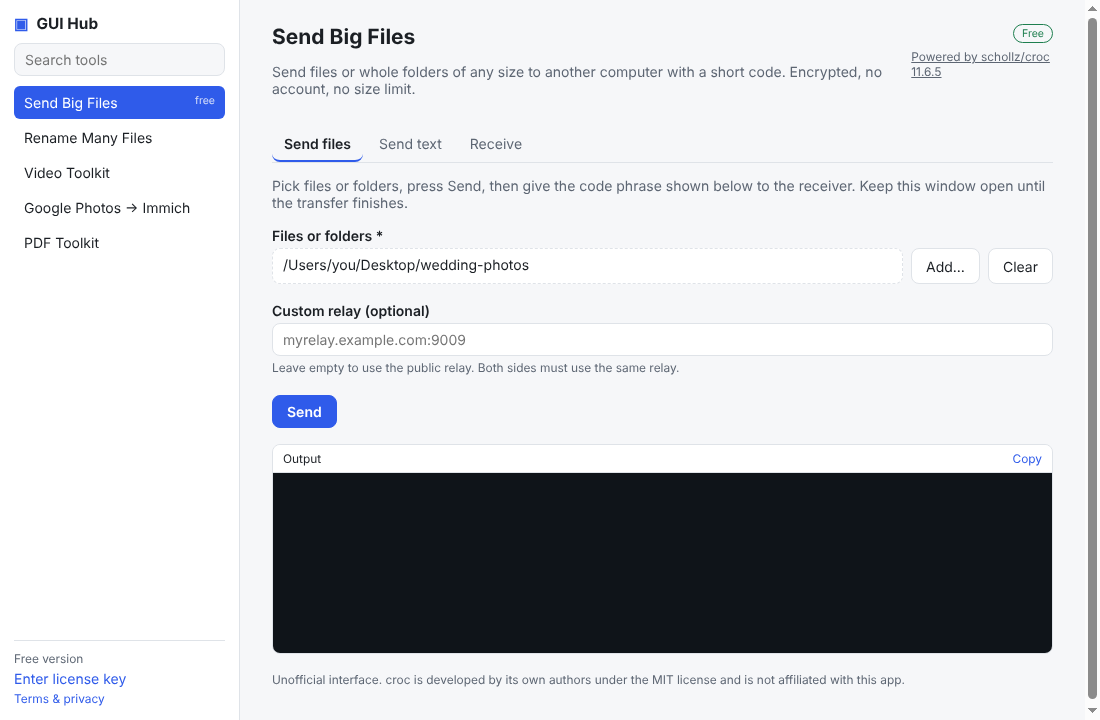
Email has size limits, and cloud drives mean uploading everything, sharing a link and trusting a third party with your files. A direct, encrypted transfer is simpler.
On the sending computer
- Open GUI Hub → Send Big Files → Send files.
- Add the files or folders and press Send.
- A short code phrase appears (three words). Tell it to the other person.
On the receiving computer
- Open GUI Hub → Send Big Files → Receive.
- Type the code phrase, choose a folder and press Receive.
The receiver can also use the croc command-line program or any croc-compatible app.
Is it safe?
Transfers are end-to-end encrypted using the code phrase; the relay server only passes encrypted data along. This tool is free in GUI Hub.
What powers it
croc (MIT), one of the most popular open-source file-transfer tools.
Try it now
This tool is free. Prefer to ask your AI? GUI Hub also works as an MCP server for Claude, Cursor and others.